
Loading...
Loading...
Drop in your photos, place a text or logo watermark, and export the whole batch in seconds. Nothing leaves your device.
Drag and drop, or choose files from your device
Processed locally in your browser — never uploaded to a server
Rate this tool
5 average · 1 rating
Add text or logo watermarks to images online for free using our secure browser-based watermark maker. Customize font, color, opacity, size, rotation and position, then watermark JPG, PNG and WebP images in seconds.
Single images download directly, while multiple images are automatically packaged as a ZIP file. Protect your copyright, strengthen your brand identity and prevent unauthorized image reuse by adding professional text or logo watermarks before publishing photos online.
A sample photo with a logo watermark added using WebAuzar.
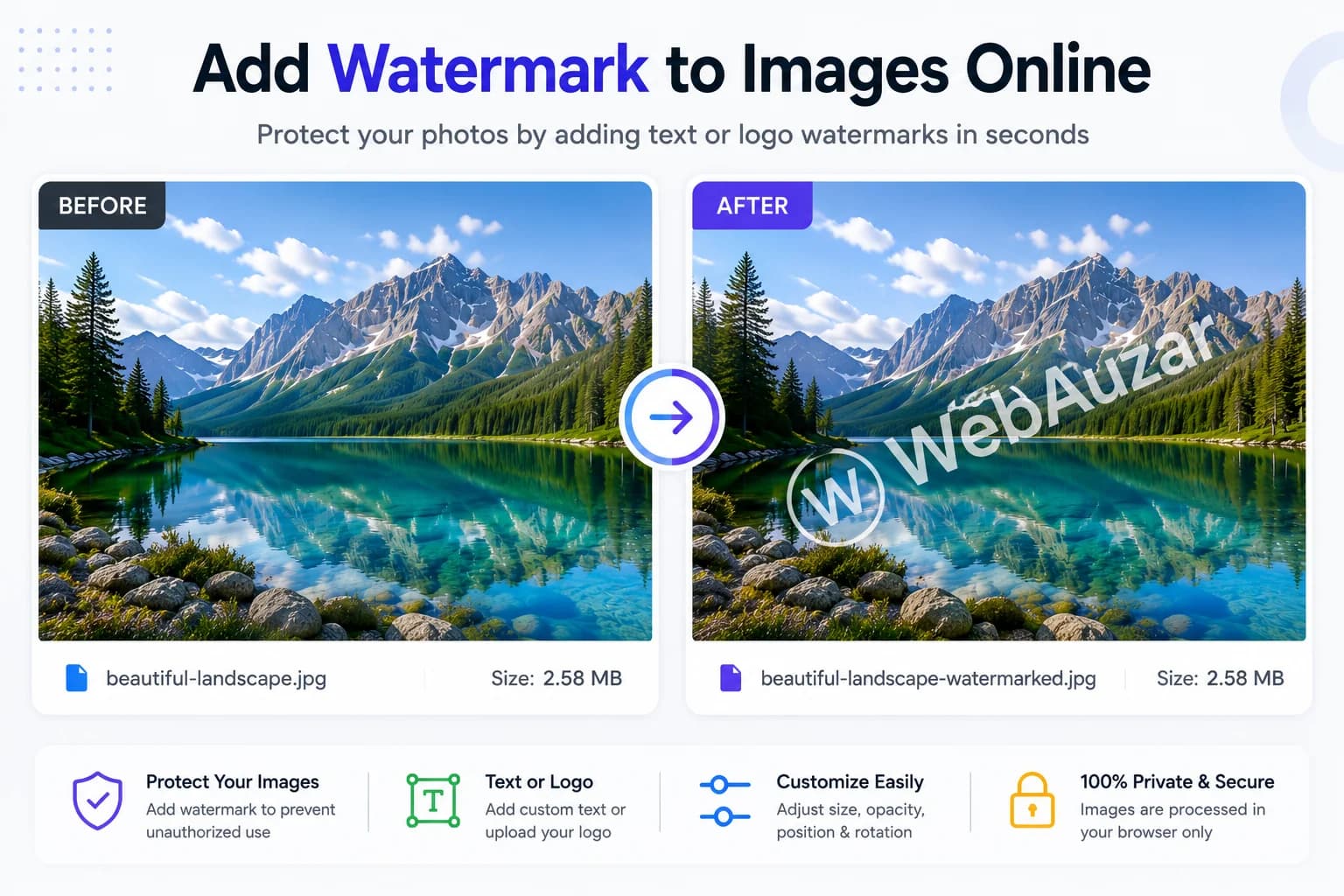
Protect photos, build your brand and prepare professional images with customizable text and logo watermarks.
Add copyright names, signatures or branding text.
Overlay your company logo on photos.
Protect professional photos from unauthorized reuse.
Brand Instagram, Facebook and Pinterest images.
Protect Amazon, Shopify and Flipkart product photos.
Watermark multiple images at once with ZIP download.
No software, no signup needed.
Drag & drop or click to select JPG, PNG, WebP images up to 50 MB each. Add multiple images at once for batch processing.
Choose text or logo mode. Customize font, color, size, opacity, and tile settings. Drag and resize the watermark freely on the canvas.
Click 'Add Watermark' to process your images. Single images download directly, while multiple images are packaged into a ZIP file.
Watermarking protects your content from theft, builds brand identity, and prepares photos for professional publishing.
Add custom text with 6 font choices, bold/italic toggles, adjustable font size, and a full color picker with quick-select swatches.
Upload any PNG, JPG, or WebP as a watermark logo. Freely drag, resize, and rotate it on the canvas for perfectly placed results.
Repeat the watermark in a diagonal pattern across the whole image for full-coverage protection that can't be cropped away.
Slide opacity from 10% (Ghost) to 100% (Solid). Combine with bold, italic, and color options for a watermark that fits your brand.
Apply the same watermark to multiple images in one click. All images are automatically downloaded as a ZIP file for convenience.
Export as PNG (lossless), JPEG, or WebP. JPEG and WebP include a quality slider so you control the file size vs. quality trade-off.
No account, no signup, no waiting. Watermark and download your images immediately, completely free.
Everything runs locally in your browser via the Canvas API. Your images are never sent to any server.
See why adding a watermark helps protect your images and strengthen your brand identity.
| Feature | Without Watermark | With Watermark |
|---|---|---|
| Brand Visibility | ||
| Copyright Protection | Weak | Strong |
| Professional Look | Average | Excellent |
| Content Security | Low | High |
| Social Media Branding | Limited | Excellent |
| Brand Recognition | Low | High |
Compare WebAuzar with typical online watermark makers.
| Feature | WebAuzar | Typical Online Tools |
|---|---|---|
| Browser Processing | ||
| Batch Watermarking | Limited | |
| No Account Required | ||
| Text & Logo Support | ||
| Tile Mode | Limited | |
| Free Forever |
| Style | Best For |
|---|---|
| White Text | Dark Photos |
| Black Text | Light Photos |
| Logo Watermark | Business Branding |
| Diagonal Tile | Copyright Protection |
| Bottom Right | Photography |
| Center Watermark | Maximum Protection |
A watermark signals ownership and discourages unauthorized reuse of your photos. For photographers, it protects portfolio work shared for client previews. For businesses, it reinforces brand identity every time an image is shared or reposted on social media.
A text watermark is quick to set up and works well for photographers who want a name, signature or copyright notice on their work. A logo watermark is better for businesses and brands, reinforcing visual identity at a glance.
A single watermark placed in a corner is subtle but can be cropped out. Tile mode repeats the watermark diagonally across the entire image, making it far harder to remove — ideal for stock photography and wedding proofs.
Lower opacity (10–30%) creates a subtle 'ghost' watermark good for portfolio previews. Higher opacity (70–100%) is better for strong brand placement. Always pick a text color that contrasts with the photo.
Everything you need to know about adding watermarks to your images.
Upload your image, choose text or logo watermark, customize style and position, then click 'Add Watermark' and download instantly. No software installation required.
Yes! Type any text, then choose from 6 fonts (Arial, Georgia, Courier New, Impact, Trebuchet MS, Verdana), adjust size, pick a color, and toggle bold or italic styling.
Yes. Switch to 'Logo' mode, upload any PNG, JPG, or WebP image, then drag and resize it freely on the canvas.
Yes. Upload your logo as PNG, JPG or WebP and place it anywhere on the image with resize and rotate controls.
Yes, this watermark tool works perfectly on Android and iPhone browsers.
Drag the watermark overlay anywhere on the canvas. You can also resize it using the corner and edge handles, and rotate it using the rotation handle at the top.
Tile mode repeats the watermark across the entire image in a diagonal pattern, providing maximum coverage and protection against cropping.
Yes. A slider lets you set opacity from 10% (Ghost) to 100% (Solid) for both text and logo watermarks.
Yes. Upload multiple images, configure your watermark once, and click 'Add Watermark' to batch-process every image. All images will be downloaded as a single ZIP file.
You can export as PNG (lossless), JPEG, or WebP. For JPEG and WebP, a quality slider (50–100%) lets you balance file size against image quality.
When you have multiple images and click 'Add Watermark', all processed images are automatically packaged into a ZIP file for a single download. For a single image, it downloads directly.
No. All processing happens entirely in your browser using the Canvas API. Your images never leave your device.
Yes, WebAuzar tools are completely free and require no account or signup.
For copyright protection against cropping, use Tile mode or a center placement. For subtle branding, a bottom-right or bottom-left corner placement works best.
No. Once an image is downloaded, the watermark is permanently part of the exported file. Adjust settings and re-apply before downloading if you want a different result.
No. The watermark is drawn as an overlay on the canvas. Choosing PNG export keeps the base image lossless; JPEG and WebP quality is controlled by the export slider.
Optimize your images with WebAuzar's complete collection of free browser-based image tools. Compress, resize, crop, convert and enhance images without uploading them to any server.