
Loading...
Loading...
Compress JPG, JPEG, PNG and WebP images and photos to 200KB or less. Automatic target-size compression, fast browser-based processing, no signup and no server upload required.
Compression starts automatically after upload
Rate this tool
4.3 average · 15 ratings
WebAuzar lets you reduce a supported image to a 200KB target directly in your browser. This is useful when a form, application or website specifies a maximum image file size.
Upload your original image and the 200KB target is already configured for this page. Compression starts automatically using the current settings. If you change the output format or another available setting, the result is regenerated for the new options.
If your original image is already below 200KB, you normally do not need to make it larger. Always check the receiving website for its exact maximum or required size, accepted format and image dimensions.
Need a different target? Use the general image compressor or choose another target-size page below.
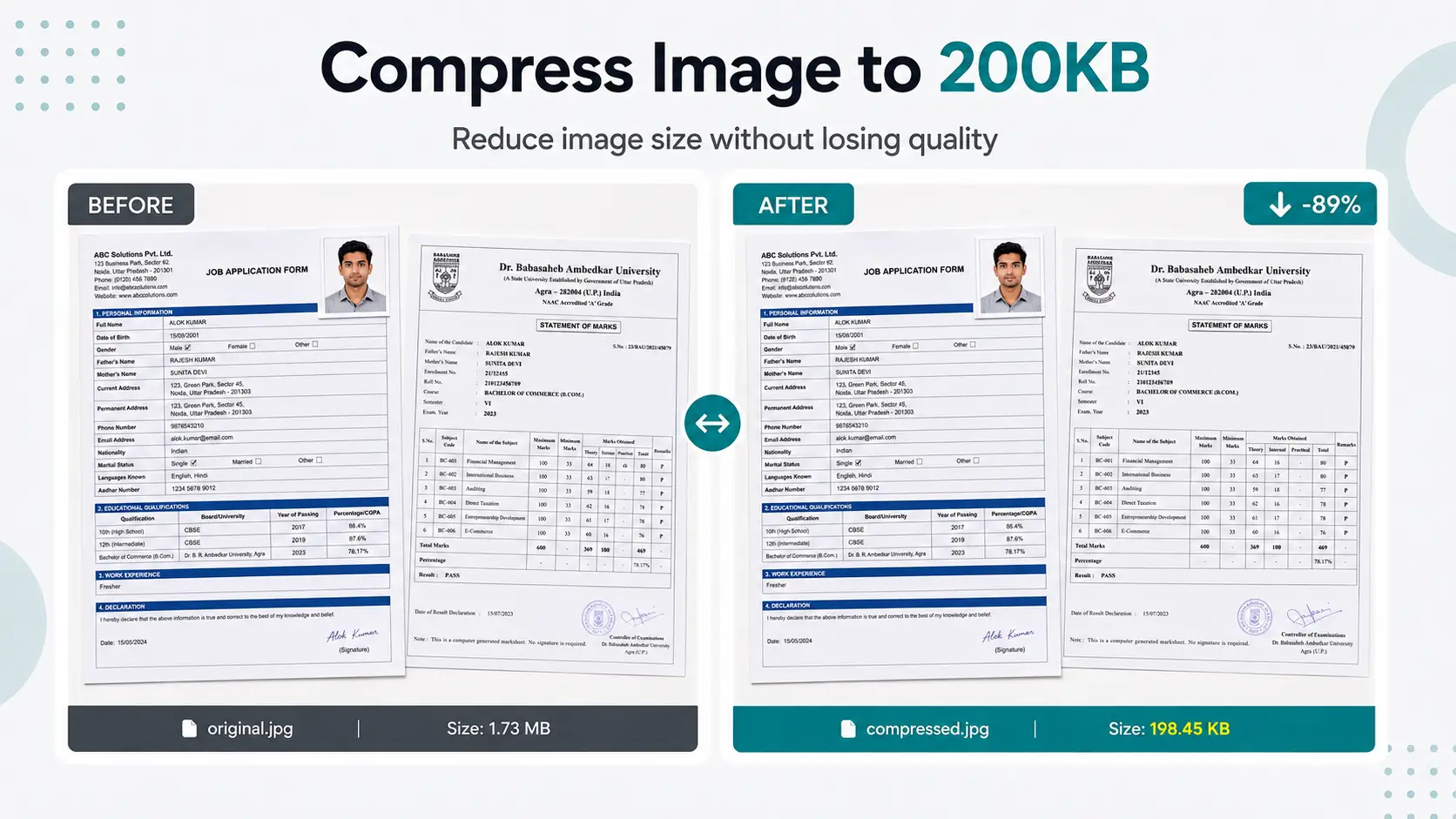
Use the 200KB target when the receiving form or website allows a maximum of 200KB.
Certificate and marksheet scans can be reduced to a smaller image file when the portal accepts images. Check readability before submission.
Confirm the accepted format, image dimensions and whether the stated 200KB rule is a maximum or another type of requirement.
Check the exact photo size requirements for SSC, UPSC and Railway forms in our complete government form image size guide.
How it works
The target is already configured for this page, so you do not need to enter the KB value manually. Add your image and review the generated result before downloading.
Select a supported image from your phone, tablet or computer.
This page starts with a 200KB target. The compressor automatically processes the image toward the selected limit using its target-size workflow.
Process the image and download the result. Check the final file before submitting it to another website.
Target settings
This dedicated page opens the compressor with a 200KB target already selected. The tool processes each uploaded image in the browser and aims to keep the resulting file at or below the target ceiling. Very small targets can require stronger compression or smaller dimensions depending on the source image.
Add a supported image and the current target settings are applied automatically. You do not need to repeatedly guess a quality percentage to reach the selected file-size limit.
A 200KB limit controls file size, not the required pixel width or height. If the receiving portal specifies dimensions as well, verify those requirements separately or use the Resize Image tool before the final upload.
When you need another target, it is generally better to work from the original file rather than repeatedly recompressing an already compressed result. This gives the compressor more original image information to work with.
Supported formats
The compressor accepts the supported image formats below. The appropriate output depends on the image and the requirements of the receiving website or application.
| Format | Best for | Notes |
|---|---|---|
| JPG / JPEG | Photos, camera images and everyday web images | A common choice for photographs because it can produce relatively small files. |
| PNG | Logos, screenshots, graphics and transparency | PNG is lossless, so strict KB targets may require smaller dimensions or another output format. |
| WebP | Websites and modern web content | WebP supports photographic and graphic images and can also support transparency. |
| GIF | Simple animated or non-animated GIF images | The result depends on the image content and selected output workflow. |
| BMP | Bitmap images | BMP files are often larger than web-friendly formats, so conversion can help reduce file size. |
| AVIF | Modern web images where AVIF is supported | AVIF is a modern image format designed for efficient image delivery. |
Specific file size
If your form or website specifies another maximum image size, open the matching dedicated page instead of changing the target manually.
For government, recruitment or education forms, check the official instructions for the required file type, maximum file size and image dimensions before uploading.
Use cases
Reduce a photo or scanned image when an application form has a maximum file-size limit.
Prepare photos and other images for application portals. Always follow the exact size, dimensions and format rules in the official notification.
Make profile photos or scanned documents smaller before uploading them to recruitment and application portals.
Reduce image file size before publishing photos, graphics and other visual content on a website.
Create smaller image files that are easier to attach, store and share.
Reduce large photos before uploading or sharing them when a smaller file is more convenient.
File size is only one part of an upload requirement. Check the receiving website before submitting the compressed image.
WebAuzar performs image compression in the browser. The selected images do not need to be uploaded to a WebAuzar server for the compression process.
This makes the tool convenient when you need to reduce an image directly from a phone, tablet or desktop browser.
Learn more
Use the 200KB page when a form, application or website specifies a 200KB maximum. It can also be useful when 100KB is unnecessarily restrictive and you need more file-size headroom for a photograph or document scan.
Upload the original image, use the 200KB target and preview the result before downloading. For certificates, marksheets or other document scans, also check whether the receiving portal requires JPG, PNG or another specific format.
A 200KB target is a file-size setting, not a universal requirement for every job portal, government form or social profile. Before uploading, check the receiving page for its maximum size, accepted formats and required image dimensions.
Use these tools when compression is only one part of the image task.
Common questions about compressing images to 200KB.
Yes. Upload the original photo and use the 200KB target. Before submitting the result, check the form's maximum file size, accepted format and required dimensions.
Yes, if the receiving portal accepts image files. Upload the scan and use the 200KB target, then preview the result to make sure small text and important details remain readable.
No universal 200KB rule applies to every portal. File-size and image requirements vary by website and application. Use 200KB when the specific upload instructions allow or require it.
You can if the receiving service accepts that file size and format. For a marksheet or certificate, also check the required dimensions and make sure the compressed text remains readable.
Yes. PNG images are compressed by resizing dimensions when needed because PNG uses lossless compression. JPG and WebP images use quality adjustment for more accurate file size control.
Yes. All compression happens directly in your browser. Your files are never uploaded to our servers, ensuring complete privacy and security.
If your image is already below 200KB, it will remain unchanged and no unnecessary compression will be applied.
Yes. Upload multiple images and compress them together. Each image is processed individually and can be downloaded separately or as a ZIP archive.
The compressor supports JPG, JPEG, PNG, WebP, GIF, BMP and AVIF input images. Available output options depend on the compression workflow and the selected settings.
Yes. The compressor works on Android phones, iPhones, tablets, laptops and desktop computers using any modern web browser.
No. Everything works directly inside your browser. No software installation or plugins are required.
For JPG and WebP images, dimensions usually remain the same. PNG images may be resized if necessary to reach the requested file size.
Yes. Since processing happens locally in your browser, the tool can continue working after the page loads even if your internet connection is interrupted.